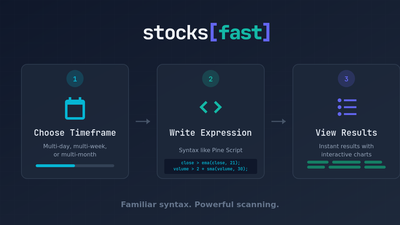
Now you can filter your daily scan to only show stocks that are also bullish on the weekly. Or compare daily RSI to weekly RSI. Or find daily entries where the monthly trend is up. All in one expression.
The Basics
Wrap conditions in an mtf() block with a timeframe:
mtf("1W") {
    close > open;   // Weekly must be green
};
Supported timeframes: 1D through 5D, 1W through 4W, 1M through 12M.
The block either filters (if it contains conditions) or extracts a value (if assigned to a variable).
Filter Mode: Higher Timeframe as a Gate
The simplest use case - only show daily results if the weekly chart passes certain criteria.
Daily scan, but only if the week is green:
volume * close > 10M;
close > sma(close, 20);

mtf("1W") {
    close > open;
};
Daily momentum with weekly uptrend confirmation:
volume * close > 10M;
close > ema(close, 8);

mtf("1W") {
    close > sma(close, 10);
};
The daily conditions run first, then surviving stocks get filtered by the weekly condition. Stocks must pass both.
Value Extraction: Cross-Timeframe Comparisons
Assign an mtf() block to a variable to extract a specific value from another timeframe.
Previous week's high - useful for breakout detection:
prev_weekly_high = mtf("1W") { high[1]; };
close > prev_weekly_high;
The [1] offset gets the previous completed period. This matters - if you want "breaking above last week's high," you need [1]. Using high without the offset gives you the current week's high, which includes today.
Real Strategies
Weekly high breakout with volume:
volume * close > 10M;
prev_weekly_high = mtf("1W") { high[1]; };
close > prev_weekly_high;
volume > sma(volume, 20) * 1.5;
This finds stocks that closed above last week's high with above-average volume. Classic breakout setup.
Monthly support bounce:
volume * close > 10M;
prev_monthly_low = mtf("1M") { low[1]; };
pct_diff = pct_change(close, prev_monthly_low);
pct_diff > -2;
pct_diff < 2;
close > open;
Stocks bouncing from last month's low level. The 2% tolerance catches stocks near the support zone.
Triple timeframe alignment - all trends pointing the same direction:
volume * close > 10M;
close > sma(close, 20);

mtf("1W") {
    close > sma(close, 10);
};

mtf("1M") {
    close > sma(close, 3);
};
Daily above 20-day MA, weekly above 10-week MA, monthly above 3-month MA. Maximum trend alignment.
Cross-timeframe RSI comparison:
volume * close > 10M;
prev_weekly_rsi = mtf("1W") { rsi(close, 14)[1]; };
daily_rsi = rsi(close, 14);
daily_rsi > prev_weekly_rsi;
daily_rsi > 50;
Daily momentum stronger than weekly momentum. Useful for catching acceleration.
Weekly MACD with daily entry:
volume * close > 100M;
mtf("1W") {
    macd_l = macd_line(close, 12, 26, 9);
    macd_s = macd_signal(close, 12, 26, 9);
    macd_l > macd_s;
};
close ~= ema(close, 8);
Weekly MACD is bullish, daily price is pulling back to the 8 EMA. Classic "buy the dip in an uptrend" setup.
Monthly breakout confirmation:
volume * close > 10M;
prev_yearly_high = mtf("1M") { highest(high, 12)[1]; };
close > prev_yearly_high;
volume > sma(volume, 20) * 1.5;
Breaking above the 12-month high from last month's perspective. Long-term breakout with volume.
Strat traders will particularly appreciate this:
Monthly and weekly in-force with daily setup:
mtf("1M") { close > high[1]; };
mtf("1W") { close > high[1]; };
low < low[1] and high <= high[1] and close > open;
Monthly in-force up, weekly in-force up, daily is a failed 2-down (closed green).
Potential Monthly Outside Bar:
// extract last month's low
prior_month_low = mtf("1M") { low[1]; }

// break below but close above and close green
low < prior_month_low and close > prior_month_low and close > open;
Do you see the possibilities?!
Important Technical Details
Scope isolation: Variables defined outside an mtf() block cannot be used inside it. Each block is self-contained.
Wrong:
threshold = 50;
mtf("1W") {
    rsi(close, 14) > threshold;  // Error - threshold not in scope
};
Right:
mtf("1W") {
    rsi(close, 14) > 50;  // Use the literal
};
Use [1] for comparisons: When extracting values for inequality comparisons, use [1] to get the previous completed period. Daily high cannot exceed the current week's high (it's part of it), but it can exceed last week's high.
Wrong:
weekly_high = mtf("1W") { high; };
close > weekly_high;  // Logically impossible
Right:
prev_weekly_high = mtf("1W") { high[1]; };
close > prev_weekly_high;  // Makes sense
What You Can Build
The combinations are extensive:
- Filter daily scans by weekly or monthly trend
- Compare indicator values across timeframes
- Find entries on lower timeframes with higher timeframe confirmation
- Detect breakouts relative to weekly/monthly levels
- Build multi-timeframe momentum rankings
- Strat-style timeframe continuity setups
Every indicator works inside mtf() blocks. RSI, MACD, moving averages, Bollinger Bands, all of them. Even all_time_high() and all_time_low() work across timeframes.
This opens up strategy possibilities that were tedious to implement before. The weekly chart matters - now you can filter by it directly.
Available now in the scanner.